Notice to New Tenant (Form 2) - Manitoba
This module is included in the Manitoba Rent Legislation module which requires additional licesnsing. If you would like to add this module, please contact your Sales Account Manager.
Landlords must provide all new tenants with a completed Notice to New Tenant form when the tenancy begins. Landlords are required to send a copy of this form to the Residential Tenancies Branch (the Branch). For more details refer to the Manitoba Tenancies Branch.
Process
Under Tenant - Start a Task > Notices of Rent Increases > Select Notice to New Tenant (Form 2)
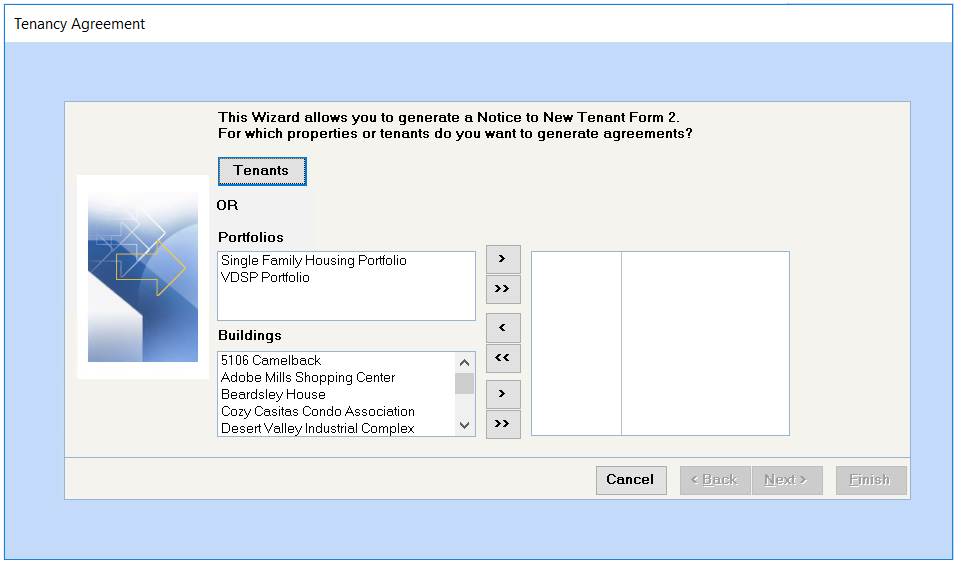
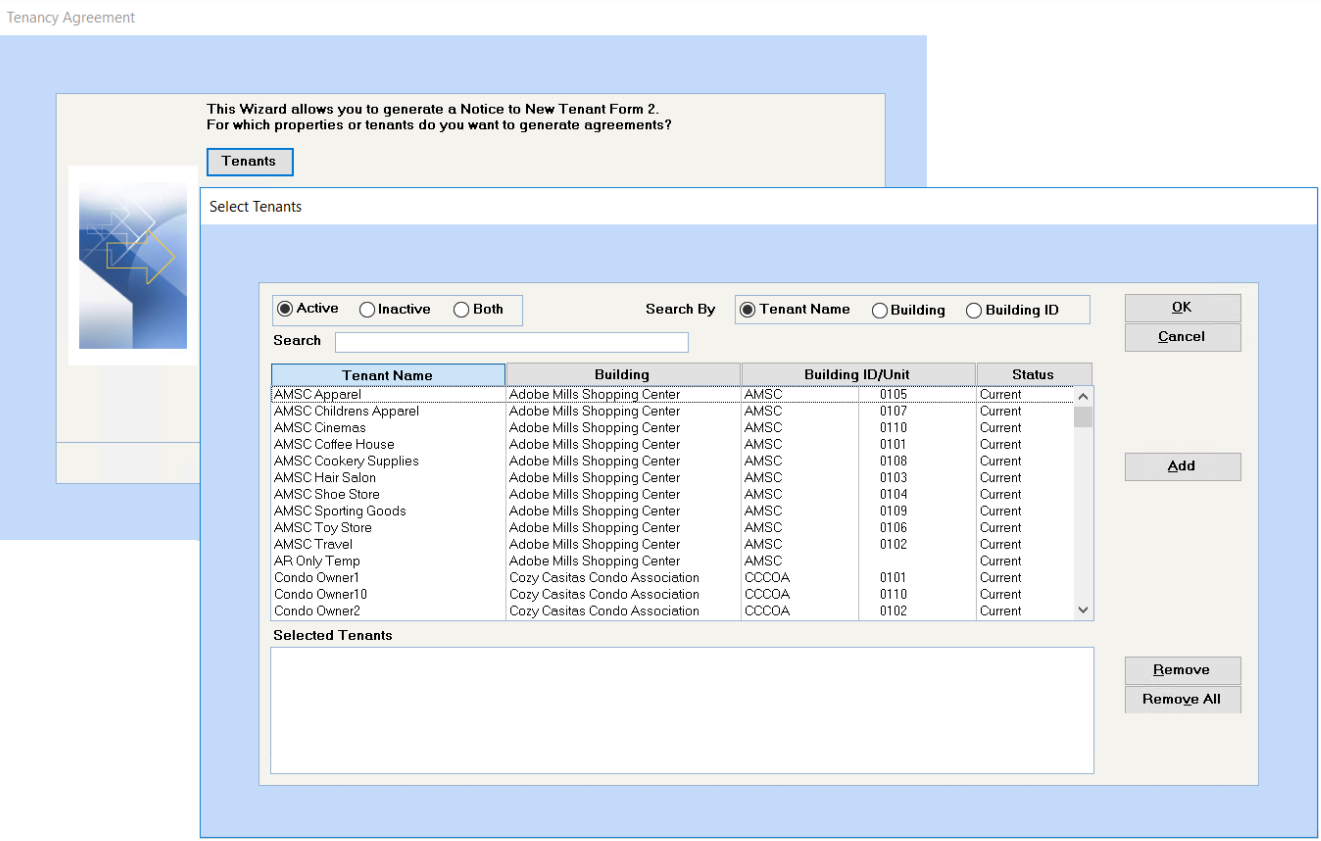
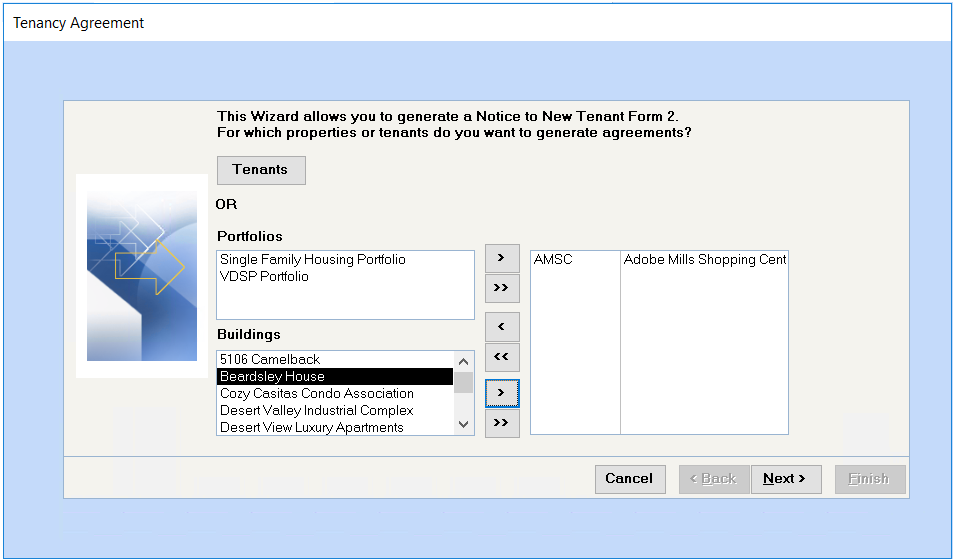
Select by Tenant, Building or portfolio and click Next.
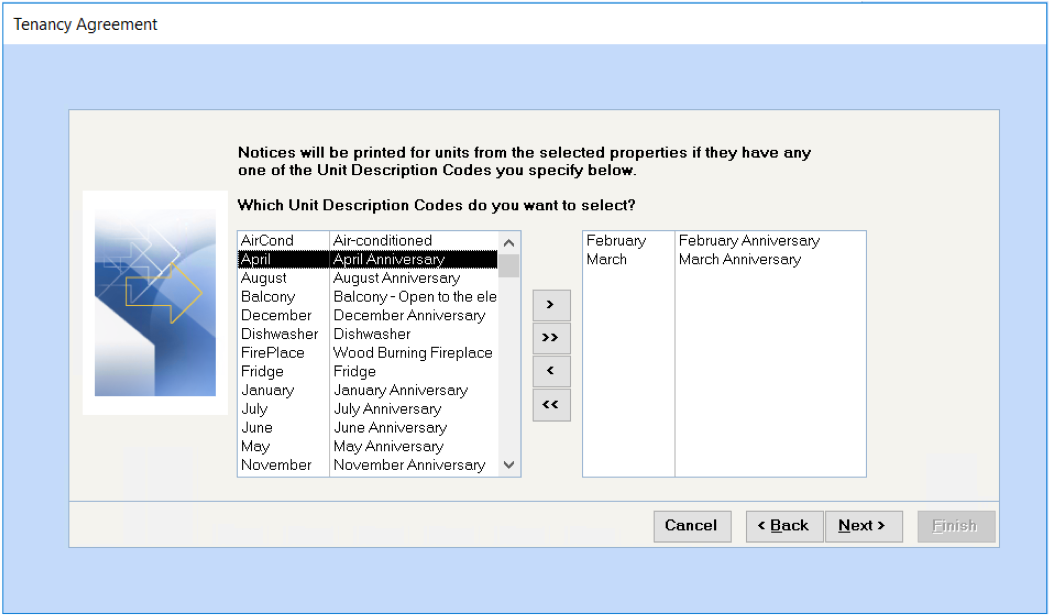
Select The Unit Description Codes to be used to indentify the desired tenant group.
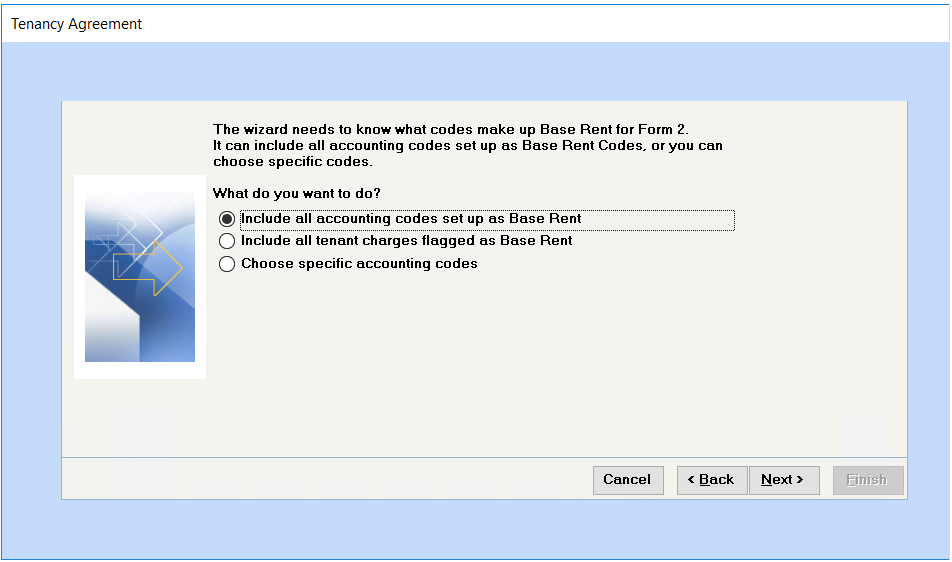
Indicate which codes to include.
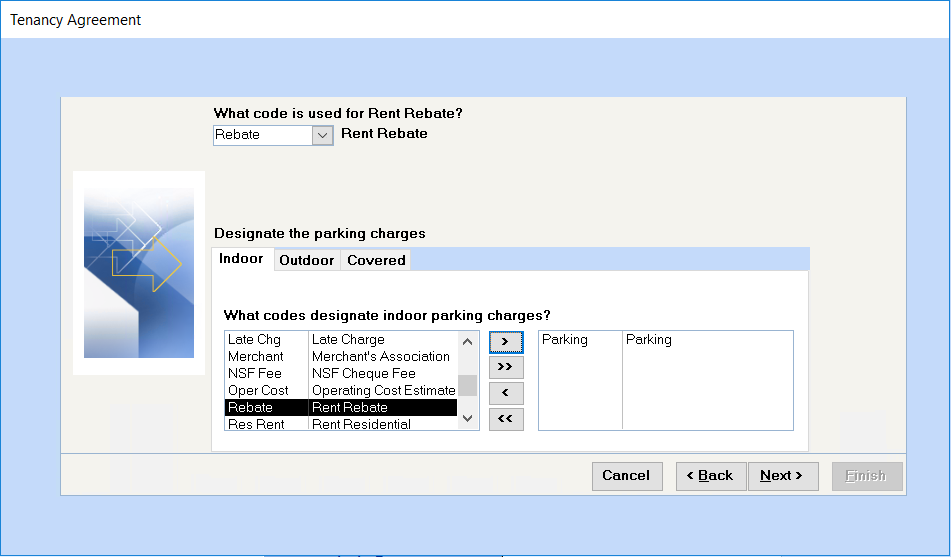
Indecate the Rent Rebate code and any Parking Codes applicable to this notice.
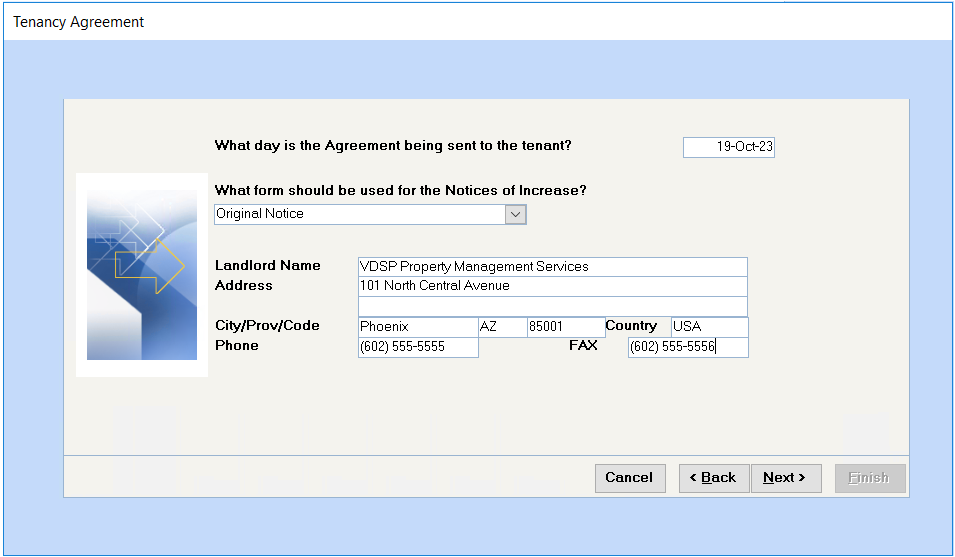
Select the appropriate Notice Form from the drop down.
The Landlord information defaults to the company information setup under Spectra Utilities > Configuration File, this can be editied if needed. Click Next to proceed.
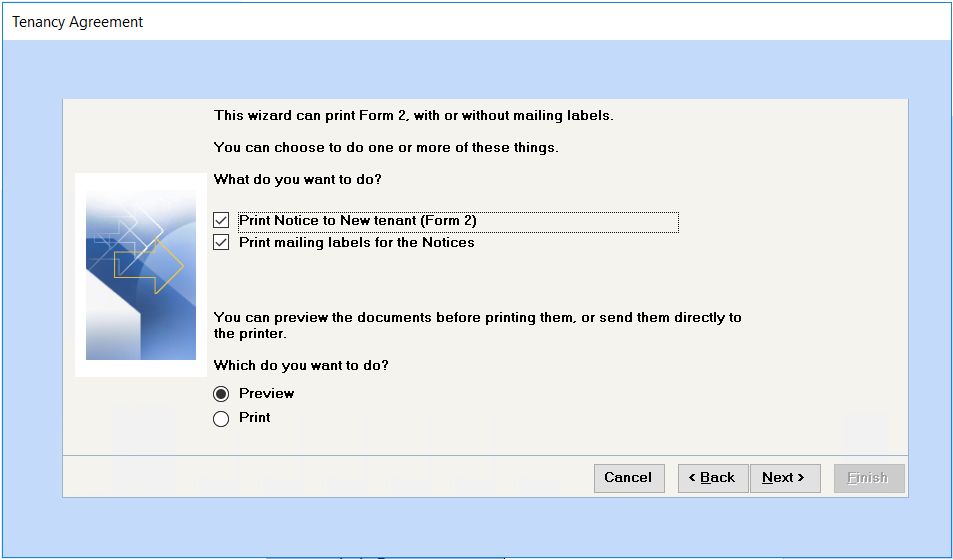
Preview or Print the forms and mailing labels.
It is always a good Idea to preview before printing. Click Next and Finish.
Click Finish when done.
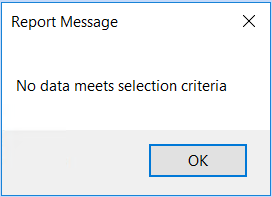
This message pops up if there are no tenants that match the criteria selected. Review the criteria selected or the tenant records to make corrections.